Know what's left before you spend it.
Your paydays, your bills and what you usually spend, in one budget. See what's left for this month, how your balance looks until the next few paydays, and get an email before a bill is due.
The demo is a made-up household with three months of spending. Click anything; nothing is saved.
What's left, this month and next
Your Overview starts with one number: what you can still spend this month after the bills that haven't come out yet and what you're putting toward goals.
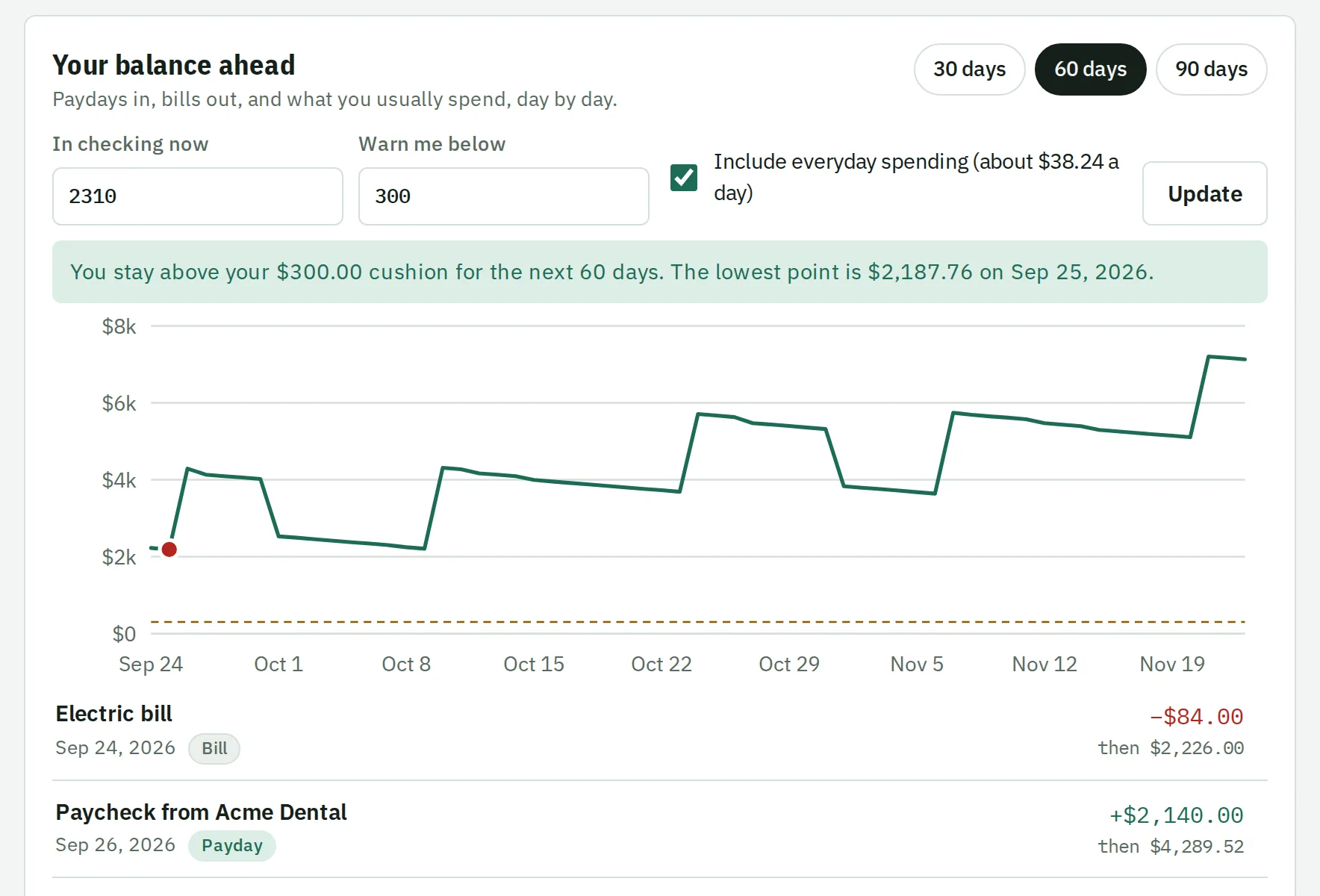
- Your balance ahead
- Type in what's in checking and see it day by day for the next 30, 60 or 90 days, with paydays in and bills out.
- A warning before a tight week
- Pick a cushion, and BuckLoad tells you the first day you'd drop below it.
- What if?
- Try a big purchase or an extra payment and watch the line move, without saving anything.
Bills you won't forget
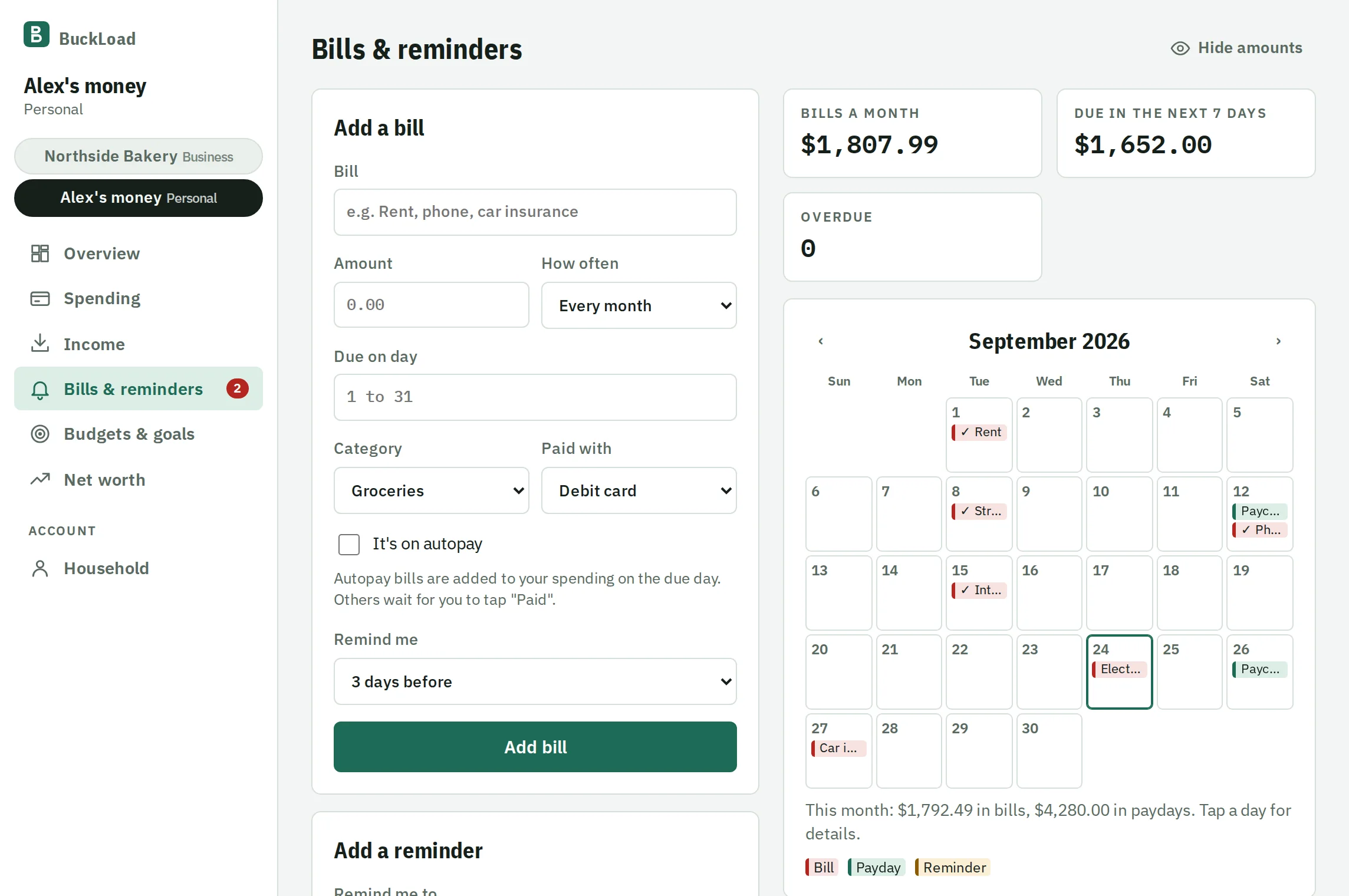
Add rent, the phone, insurance and the once-a-year ones. They sit on a calendar next to your paydays.
- An email before each one
- Choose how many days ahead. Autopay bills are added to your spending on the day they come out.
- Reminders for anything
- Renew the registration, call the dentist, cancel a subscription before it renews. Pick a date and get an email.
- Subscriptions you forgot about
- Charges that come back every month are found for you, with what they cost you a year.
Budgets that say what's left
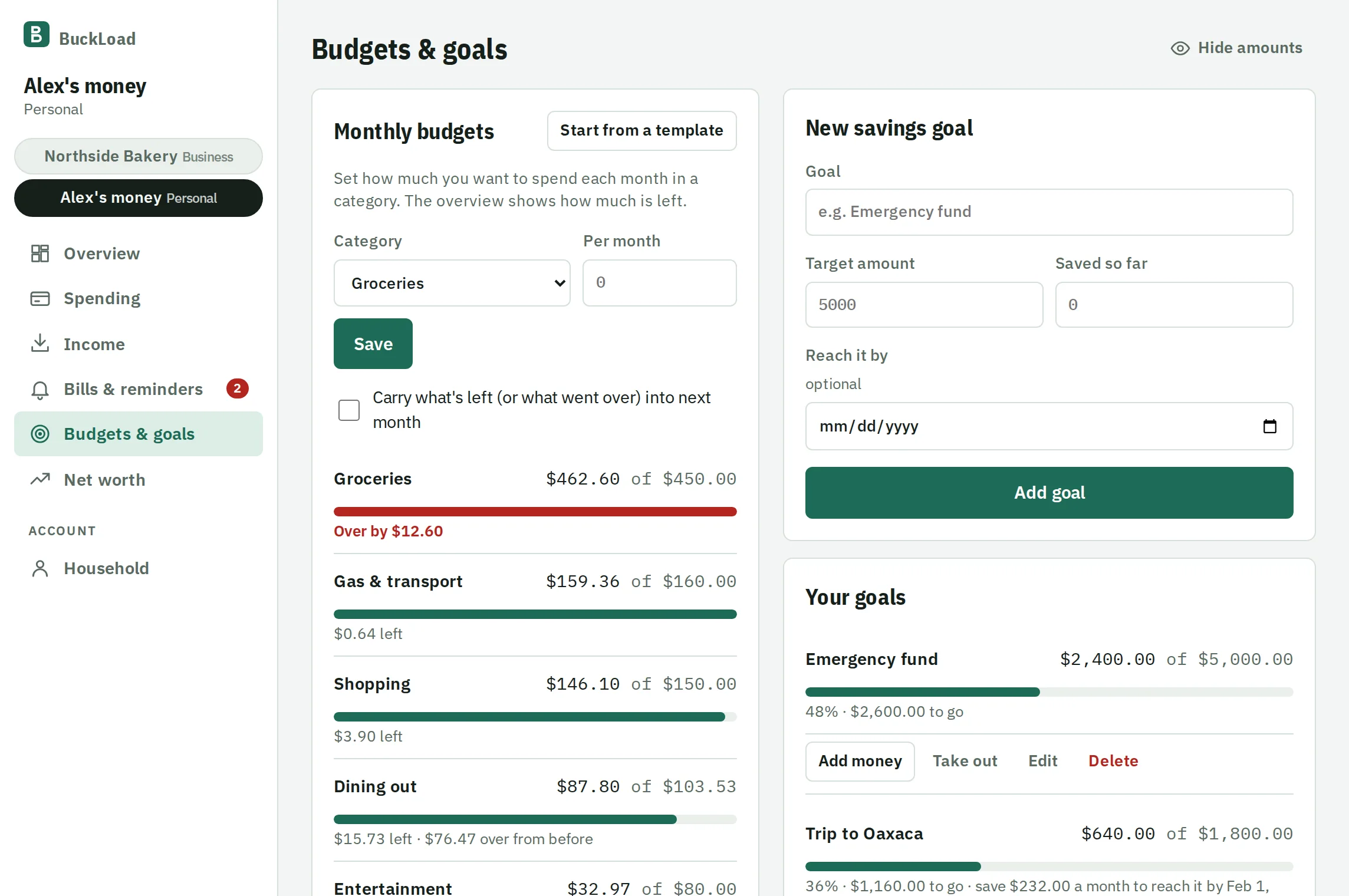
Set a limit for groceries, dining out or anything else, or start from a template based on your take-home pay.
- Carry it over
- What you don't spend this month can roll into next month, and going over comes out of it.
- Savings goals
- Set a target and a date, and see what to put away each month to get there.
- Spending over time
- Month by month for each category, so you can see if dining out really went up.
Also included
- Paychecks that repeat
- Every week, every two weeks, twice a month or monthly. Side income goes in too.
- Bank statement import
- Bring in your bank's CSV, OFX or QFX file and check it against the statement balance. Rules sort it into categories and skip what's already there.
- Split and tag spending
- One store run, two categories: split it so each budget gets its part. Tag spending (vacation, kids) and find it all with its total.
- Hide amounts
- One tap hides every number on screen, for checking your budget on the bus or sharing your screen.
- Share with your partner
- Invite someone to the same budget. You each sign in with your own login.
- Net worth
- What you own minus what you owe, and how it changes over time.
- Debt payoff
- See the month you'll be debt-free, and how much sooner an extra payment gets you there.
- Next to your business
- Run a business too? Keep both under one login and switch with one tap. The books stay separate.
Questions about budgeting
More answers on the Help page.
Is it really free?
Yes. Everything is free right now, with no card and no trial. If prices ever change, you'll get an email at least 30 days ahead, and you can download everything you've entered at any time.
Do I have to give it my bank login?
No. BuckLoad never asks for your bank password. You can type in what you spend, or download a file (CSV, OFX or QFX) from your bank's website and import it.
Can my partner and I share a budget?
Yes. Invite them from Household. You both see and add to the same budget, each with your own login.
How does "left to spend" work?
It adds what came in this month to the paychecks still coming, then subtracts what you've spent, the bills still due this month, and what your savings goals need this month. What remains is what you can spend without coming up short.
I have a business too. Do I need two accounts?
No. Add a personal budget next to your business from the account menu and switch between them. They're kept separate, so personal spending never shows up in your business reports.